
先登录百度智能云后台
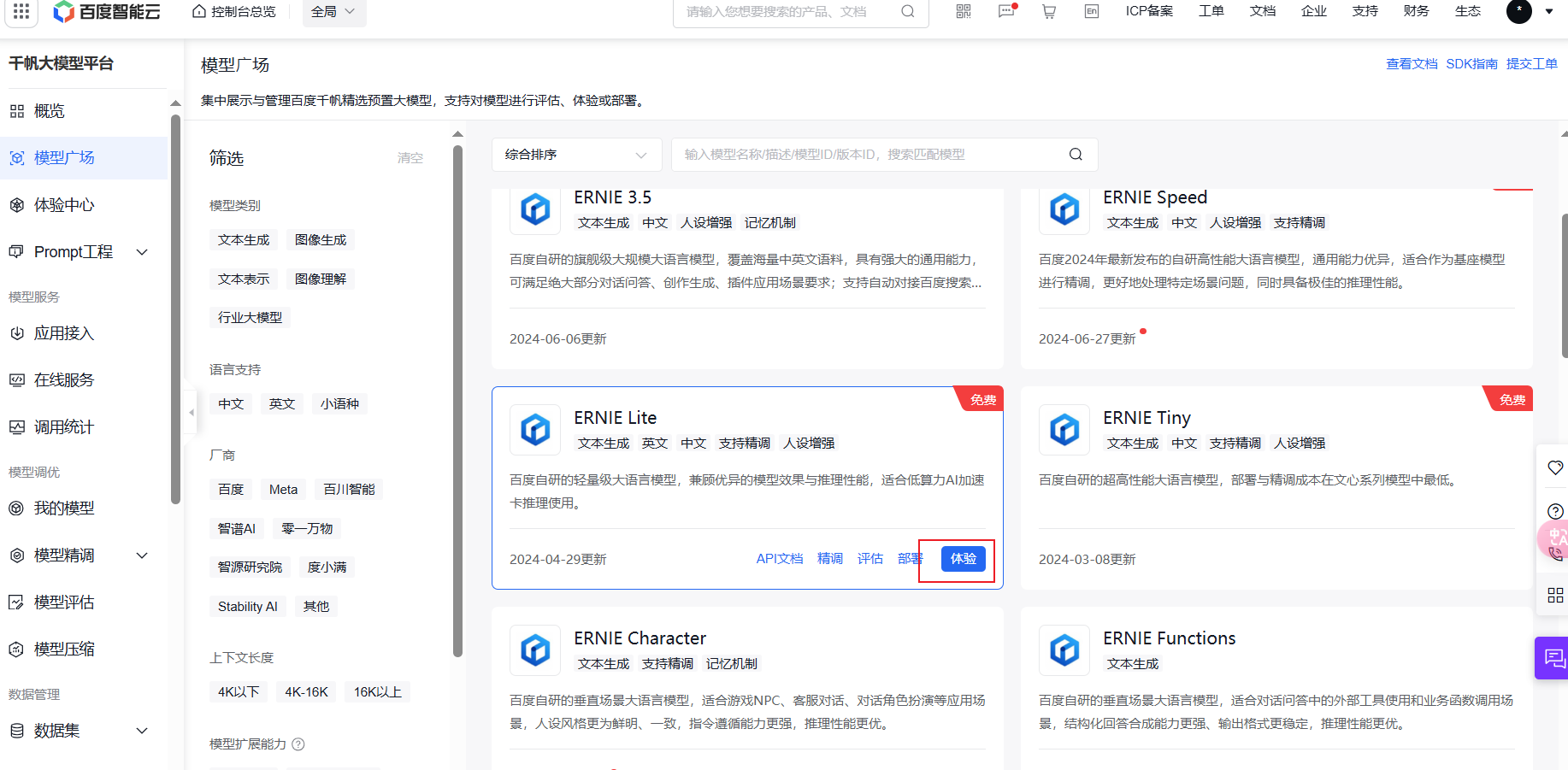
找到模型广场,选择ERNIE Lite,点击体验
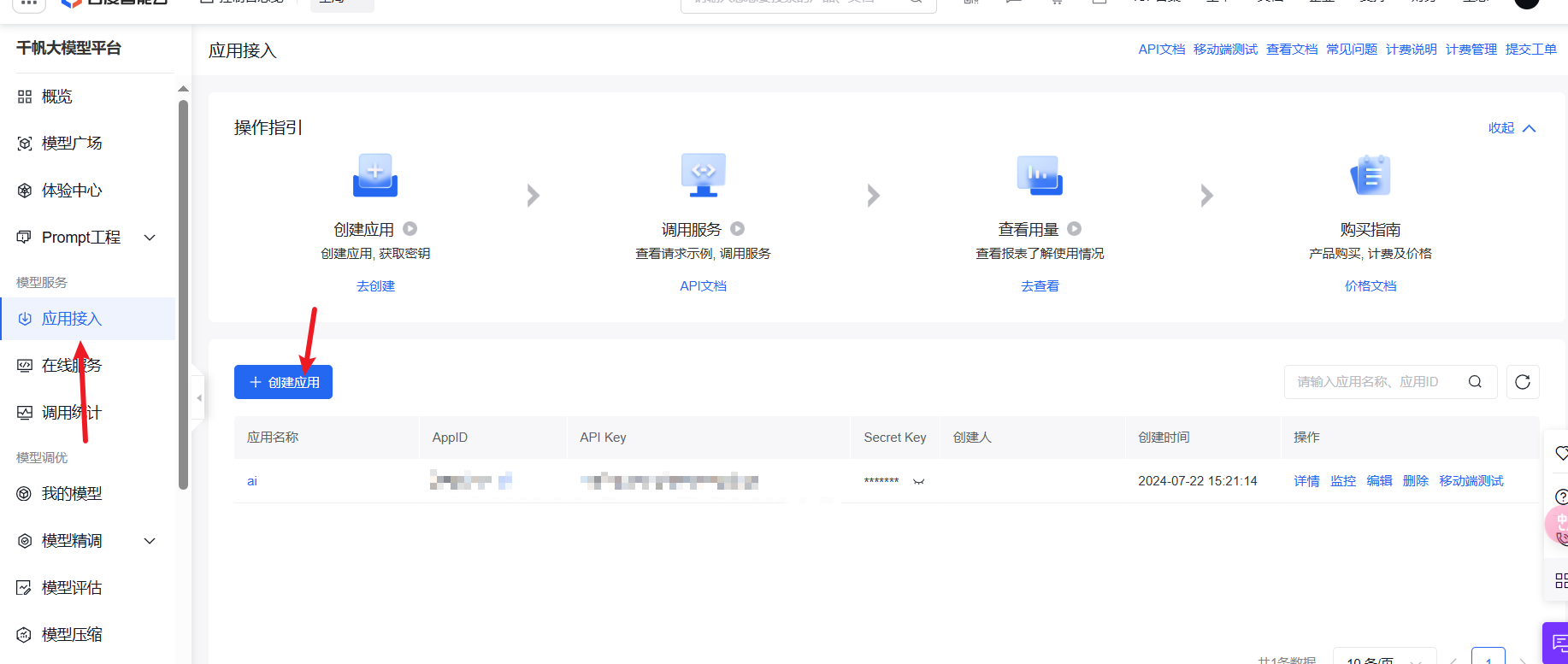
然后找到应用接入,创建应用
python代码(运行python代码的时候要打开微信客户端在后台,不然会报错)
import requests
import json
from wxauto import WeChat

list_name = ['']  # 一定要和微信群名或朋友名一模一样


def get_access_token():
    # 使用 API Key,Secret Key 获取access_token,替换下列示例中的应用API Key、应用Secret Key
    url = "https://aip.baidubce.com/oauth/2.0/token?grant_type=client_credentials&client_id=API Key" \
          "&client_secret=Secret Key"

    payload = json.dumps("")
    headers = {
        'Content-Type': 'application/json',
        'Accept': 'application/json'
    }
    response = requests.request("POST", url, headers=headers, data=payload)
    return response.json().get("access_token")


def main(wx1, msg):
    url = "https://aip.baidubce.com/rpc/2.0/ai_custom/v1/wenxinworkshop/chat/ernie-lite-8k?access_token=" + get_access_token()

    payload = json.dumps({
        "messages": [
            {
                "role": "user",
                "content": msg
            }
        ]
    })
    headers = {
        'Content-Type': 'application/json'
    }
    response = requests.request("POST", url, headers=headers, data=payload)
    json_result = json.loads(response.text)
    wx1.SendMsg(msg=json_result['result'], who=list_name[0])


if __name__ == '__main__':
    wx = WeChat()
    while True:
        msgs = wx.GetAllMessage()
        if msgs:
            if msgs[-1].type == "friend":
                print(msgs[-1].content)
                main(wx, msgs[-1].content)