
本文由 简悦 SimpRead 转码, 原文地址 blog.csdn.net
前文
记录一下在 linux 服务器下配置 nginx 中 nginx.conf 文件代理访问 springboot 项目
- spring boot.yml 配置
其他 mysql,redis,mybatis 等之类的配置就不一一列出了
# 自定义配置 为了等下验证读取的配置文件环境
appName: product

server:
  port: 8083  # 应用服务 WEB 访问端口
  servlet:
    context-path: /api
    session:
      timeout: PT60M #session过期时间 60M 一个小时
- nginx 配置
查看 nginx 安装目录
whereis nginx

修改 nginx.conf 即可, 一般配置文件都在 /usr/local/nginx/conf 目录下
2.1 https 配置
#user  nobody;
worker_processes  1;

#error_log  logs/error.log;
#error_log  logs/error.log  notice;
#error_log  logs/error.log  info;

#pid        logs/nginx.pid;


events {
    worker_connections  1024;
}


http {
    include       mime.types;
    default_type  application/octet-stream;
    #log_format  main  '$remote_addr - $remote_user [$time_local] "$request" '
    #                  '$status $body_bytes_sent "$http_referer" '
    #                  '"$http_user_agent" "$http_x_forwarded_for"';

    #access_log  logs/access.log  main;

    sendfile        on;
    #tcp_nopush     on;

    #keepalive_timeout  0;
    keepalive_timeout  65;

    #gzip  on;

    #将服务所有的 http 请求转换为 https 请求
    server {
    	listen    80;
      # listen       8081;
      # listen       443 ssl;
      listen        442 ssl;
      # 因为服务器没有完成备案导致我的80,443端口不能开放,所以我这里演示使用8081,442
      # 我的nginx配置文件上方的80端口是注释掉的,
      #你的域名,请不要带有http://或者https://
    	server_name  xxx.com;
      #charset koi8-r;

      #access_log  logs/host.access.log  main;

      location / {
            #网站主页路径。此路径仅供参考,具体请您按照实际目录操作。
            root html;
            index index.html index.htm;
        }

      #此处呼应 spring boot 应用内的 servlet.context-path 配置
      #说明: 如果你访问 www.xxxx.com/api 将会请求转发到服务器内的 127.0.0.1:8083 服务
      location /api {
      	    proxy_pass http://127.0.0.1:8083;
      	    proxy_set_header           Host $host;
            proxy_set_header  X-Real-IP  $remote_addr;
            proxy_set_header           X-Forwarded-For       $proxy_add_x_forwarded_for;
            client_max_body_size  100m;
      }

      #说明: 这里模拟静态资源读取,示例请求url: http://www.xxxx.com/app_images/xxx.png
      #访问 www.xxxx.cn/app_images/xxx.png 会转发访问服务器内的绝对路径/usr/local/app_images/xxx.png
      location /app_images {
    	    root /usr/local;
      }

      # error_page 错误页面  404              /404.html;
      # redirect server error pages to the static page /50x.html
      #
      error_page   500 502 503 504  /50x.html;
      location = /50x.html {
            root   html;
      }

    }


}
2.2 http 配置
上传证书到 conf 目录下, 创建一个 cert 文件夹方便管理
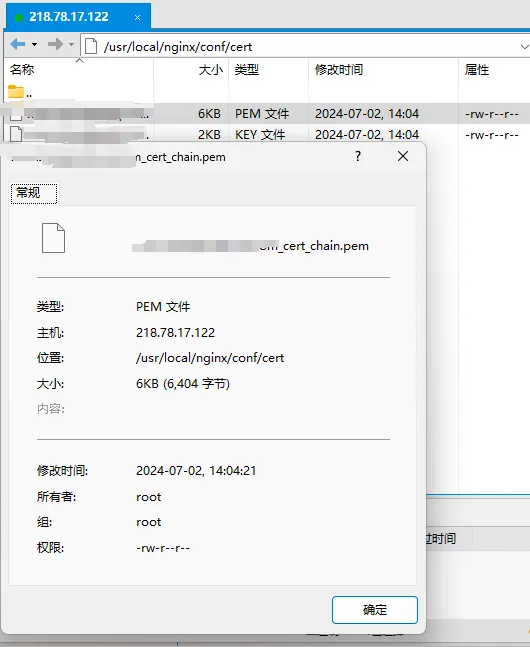
免费证书申请可以使用阿里云, 腾讯云, https://freessl.cn / 等
#user  nobody;
worker_processes  1;

#error_log  logs/error.log;
#error_log  logs/error.log  notice;
#error_log  logs/error.log  info;

#pid        logs/nginx.pid;


events {
    worker_connections  1024;
}


http {
    include       mime.types;
    default_type  application/octet-stream;
    #log_format  main  '$remote_addr - $remote_user [$time_local] "$request" '
    #                  '$status $body_bytes_sent "$http_referer" '
    #                  '"$http_user_agent" "$http_x_forwarded_for"';

    #access_log  logs/access.log  main;

    sendfile        on;
    #tcp_nopush     on;

    #keepalive_timeout  0;
    keepalive_timeout  65;

    #gzip  on;

    #将服务所有的 http 请求转换为 https 请求
    server {
    	listen    80;
      # 因为服务器没有完成备案导致我的80端口不能开放,所以我这里演示使用下面的8081
      # 我的nginx配置文件上方的80端口是注释掉的,
      # listen       8081;
      #你的域名,请不要带有http://或者https://
    	server_name  xxxx.com;
      #charset koi8-r;

      #access_log  logs/host.access.log  main;

      location / {
            #网站主页路径。此路径仅供参考,具体请您按照实际目录操作。
            root html;
            index index.html index.htm;
        }

      #此处呼应 spring boot 应用内的 servlet.context-path 配置
      #说明: 如果你访问 www.xxxx.com/api 将会请求转发到服务器内的 127.0.0.1:8083 服务
      location /api {
      	    proxy_pass http://127.0.0.1:8083;
      	    proxy_set_header           Host $host;
            proxy_set_header  X-Real-IP  $remote_addr;
            proxy_set_header           X-Forwarded-For       $proxy_add_x_forwarded_for;
            client_max_body_size  100m;
      }

      #说明: 这里模拟静态资源读取,示例请求url: http://www.xxxx.com/app_images/xxx.png
      #访问 www.xxxx.com/app_images/xxx.png 会转发访问服务器内的绝对路径/usr/local/app_images/xxx.png
      location /app_images {
    	    root /usr/local;
      }

      # error_page 错误页面  404              /404.html;
      # redirect server error pages to the static page /50x.html
      #
      error_page   500 502 503 504  /50x.html;
      location = /50x.html {
            root   html;
      }
    }
}
2.3 访问测试
配置文件完成后切记重新启动 nginx, 我这里使用 http 配置代理端口为 8081, 所以浏览器输入域名: 8081/api(spring boot 中配置的 context-path)/ 请求 (Controller 路径)
http 方式测试
- 访问 nginx
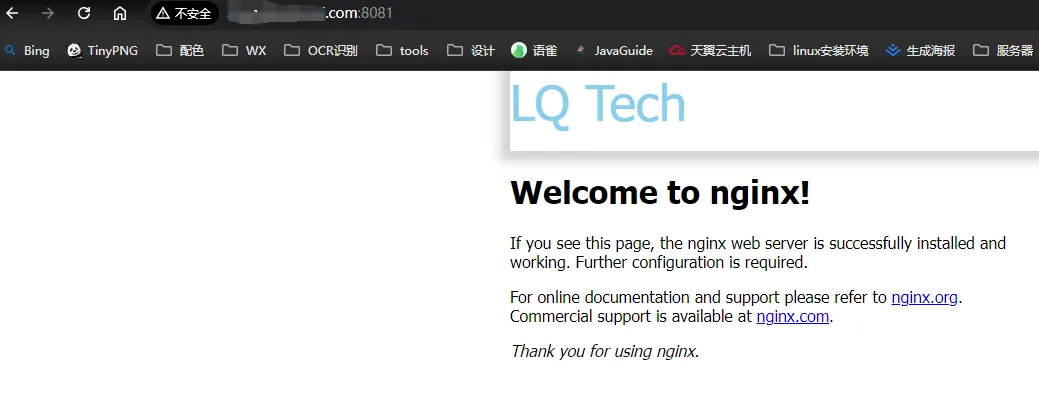
- 创建静态资源文件夹, 上传一张图片进行测试
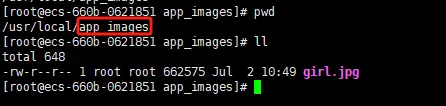

- controller 请求路径测试
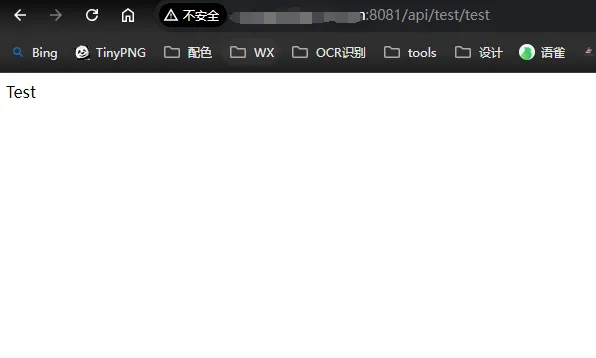
可以看到我们使用 http 方式时, 地址栏度提示的不安全链接
https: 测试
把配置文件切换成 https 方式, 重启 nginx, 目前备案还没完成, 所以我这里需要使用域名: 442 进行访问

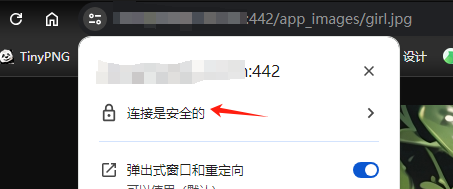
使用 https 访问消除了不安全告警