
目录
7.安装fusioninventory插件(fusioninventory)
8.Client(Windows agent):fusioninventory-agent_windows-x64_2.6.exe
| IP | 主机名 | 系统 |
|---|---|---|
| 172.25.250.103 | 服务器 | Linux |
| 172.25.250.1 | Client01 | Windows |
| 172.25.250.101 | Client02 | Linux |
1.环境准备
系统环境:centos7
mariadb:10.5.18
php:7.4.33
apache:2.4.6
#关闭selinux
setenforce 0
#关闭防火墙
systemctl stop firewalld
#拉取cento7的阿里云网络源
curl -o /etc/yum.repos.d/epel.repo http://mirrors.aliyun.com/repo/epel-7.repo
curl -o /etc/yum.repos.d/CentOS-Base.repo https://mirrors.aliyun.com/repo/Centos-7.repo
sed -i -e '/mirrors.cloud.aliyuncs.com/d' -e '/mirrors.aliyuncs.com/d' /etc/yum.repos.d/CentOS-Base.repo
yum install epel-release -y
rpm -Uvh http://rpms.remirepo.net/enterprise/remi-release-7.rpm
2.安装环境依赖
yum -y install --enablerepo=remi --enablerepo=remi-php74 php php-opcache php-devel php-mbstring php-mcrypt php-mysqlnd php-pecl-xdebug php-pecl-xhprof php-imap php-gd php-ldap php-intl php-simplexml php-zip php-apcu php-xmlrpc php-pear-CAS php-zip
yum -y install gcc gcc-c++ flex bison autoconf automake bzip2-devel zlib-devel ncurses-devel libjpeg-devel libpng-devel libtiff-devel freetype-devel pam-devel openssl-devel libxml2-devel gettext-devel pcre-devel
3.安装mariadb
#配置mariadb的yum源
cat >> /etc/yum.repos.d/mariadb.repo << EOF
[mariadb]
name = MariaDB
baseurl = https://mirrors.aliyun.com/mariadb/yum/10.5/centos7-amd64
gpgkey = https://mirrors.aliyun.com/mariadb/yum/RPM-GPG-KEY-MariaDB
gpgcheck = 1
EOF
yum makecache
yum -y install MariaDB-server MariaDB-client
systemctl start mariadb
配置mariadb
#初始化数据库
mysql_secure_installation
#登录数据库
mysql -uroot -p
use mysql
#创建数据库用户,并给予远程数据库的权限
create user'glpi'@'%' IDENTIFIED BY 'redhat';
grant all privileges ON *.* TO 'glpi'@'%' IDENTIFIED BY 'redhat';
create database glpi;
flush privileges;
4.安装httpd
yum install -y httpd httpd-devel
systemctl start  httpd
systemctl enable httpd
5.源码:glpi-project
#下载源码:https://github.com/glpi-project/glpi/releases
wget https://github.com/glpi-project/glpi/releases/download/10.0.1/glpi-10.0.1.tgz
tar -zxf glpi-10.0.1.tgz
cp glpi/* /var/www/html/. -R
chown -R apache:apache /var/www/html
chmod 755 -R /var/www/html/config/
chmod 755 -R /var/www/html/files/
网页访问:http://服务器IP/glpi/
http://服务器IP/glpi/
6.修改服务器的时间:
vim /etc/php.ini
    date.timezone = Asia/Shanghai
#重启httpd服务
systemctl restart httpd
7.安装fusioninventory插件(fusioninventory)
cd /var/www/html/plugins/
wget https://github.com/fusioninventory/fusioninventory-for-glpi/releases/download/glpi10.0.1%2B1.0/fusioninventory-10.0.1+1.0.zip
yum install -y unzip
unzip fusioninventory10.0.1+1.0.zip
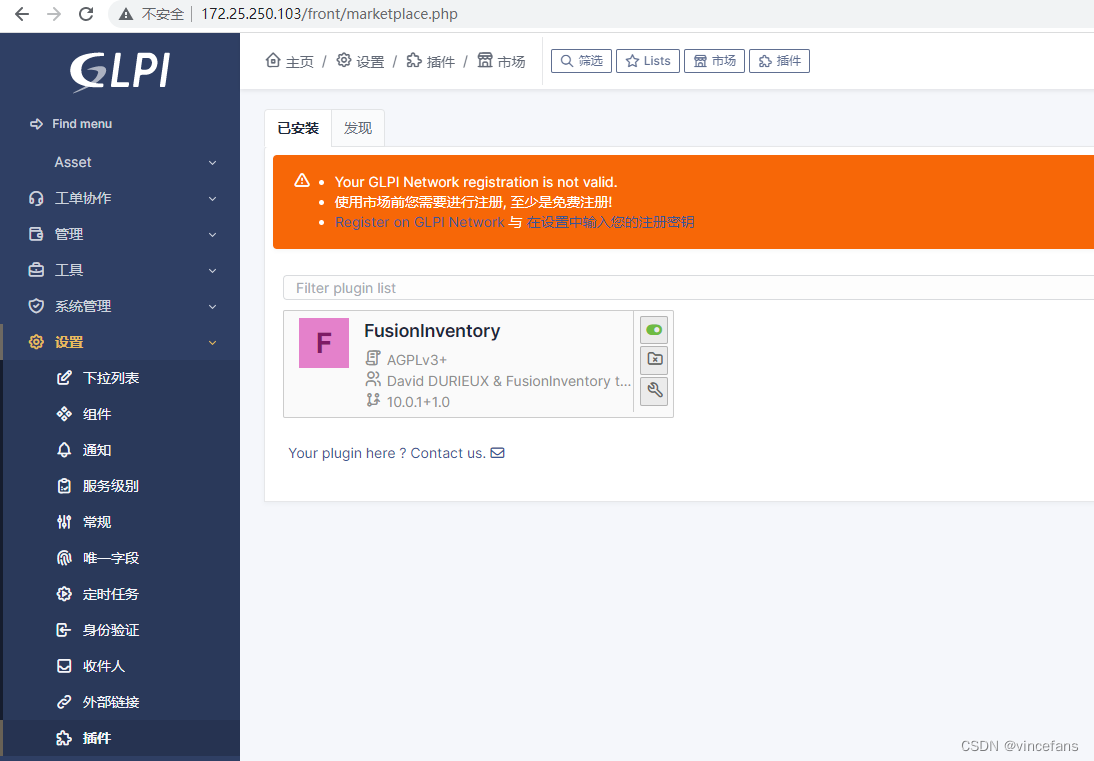
网页打开安装并启用
http://服务器IP/front/marketplace.php
http://服务器IP/front/marketplace.php
8.Client(Windows agent):
fusioninventory-agent_windows-x64_2.6.exe
编写bat自动安装的脚本(与fusioninventory-agent_windows-x64_2.6.exe同一目录下):
:x64
echo "_____________________________________________"
echo "install fusioninventory-agent_windows-x64_2.6.exe"
%~dp0\fusioninventory-agent_windows-x64_2.6.exe /acceptlicense /add-firewall-exception /execmode=Service /no-start-menu /runnow /server='http://172.25.250.103/plugins/fusioninventory/' /installtasks=Deploy,ESX,Inventory,NetDiscovery,NetInventory,WakeOnLan /S
echo "install session"
ping -n 3 127.0.0.1>nul
echo "send computer information ti GLPI Server"
call "D:\迅雷下载\fusioninventory-agent.bat"
echo "_____________________________________________"
ping -n 3 127.0.0.1>nul

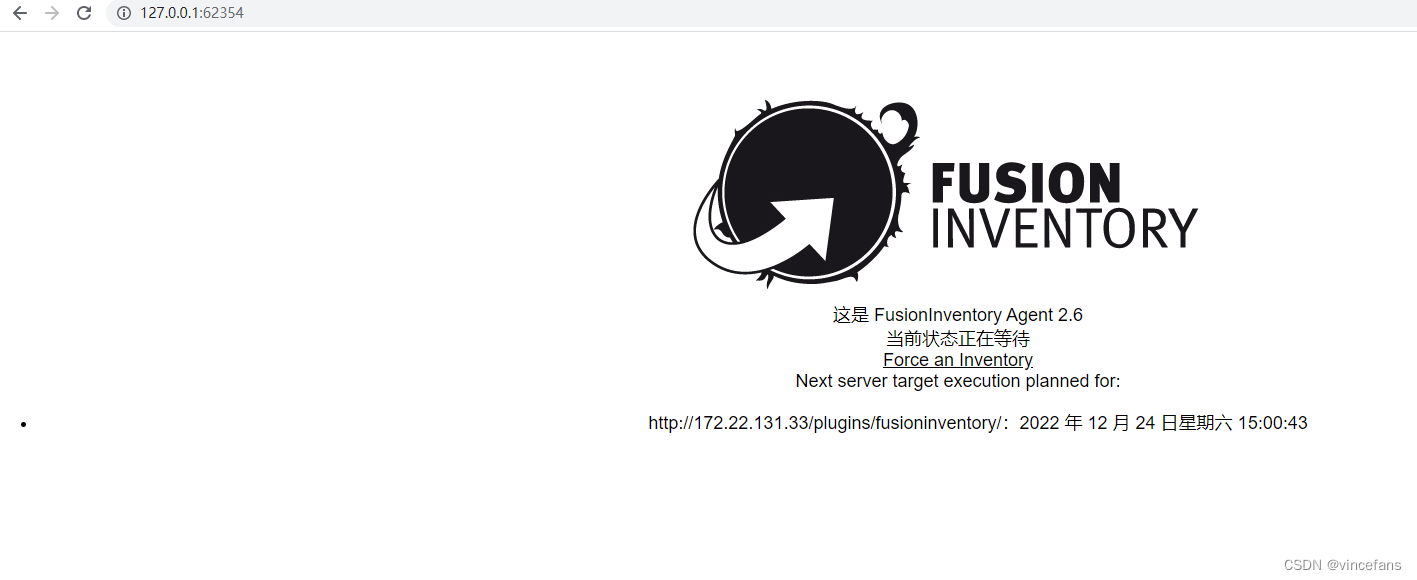
右键管理员运行bat文件
http://127.0.0.1:62354
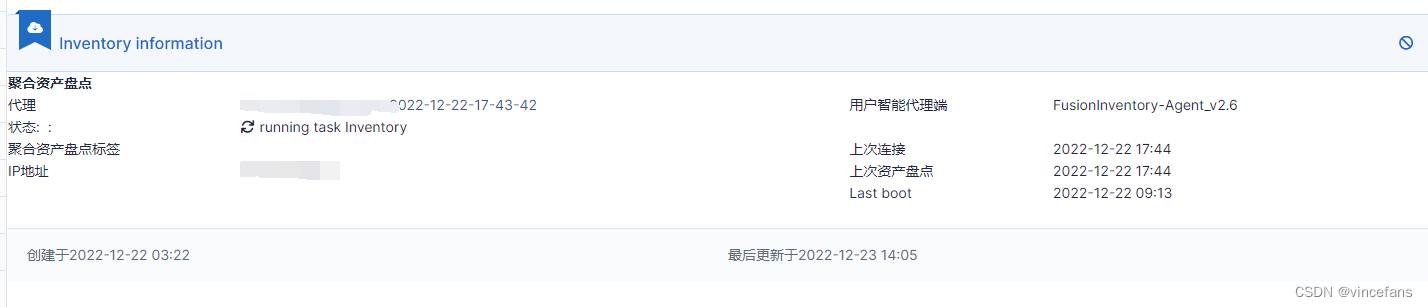
生成的内容返回到服务器上
9.Client(Linux agent):
yum install -y fusioninventory-agent fusioninventory-agent-task-inventory
sed -i "s@#server = http://server.domain.com/glpi/plugins/fusioninventory/@server = http://服务器IP/plugins/fusioninventory/@g" /etc/fusioninventory/agent.cfg
#开启服务并设置开机自启
systemctl start fusioninventory-agent
systemctl enable fusioninventory-agent
#防火墙放行62354端口
firewall-cmd --permanent --zone=public --add-port=62354/tcp
firewall-cmd --reload
#后台运行
fusioninventory-agent --server http://服务器IP/plugins/fusioninventory/ --daemon
原文链接: https://blog.csdn.net/vincefans/article/details/128419779