
目录
针对博客系统进行自动化测试
1.熟悉项目
2.针对核心流程设计手工测试用例
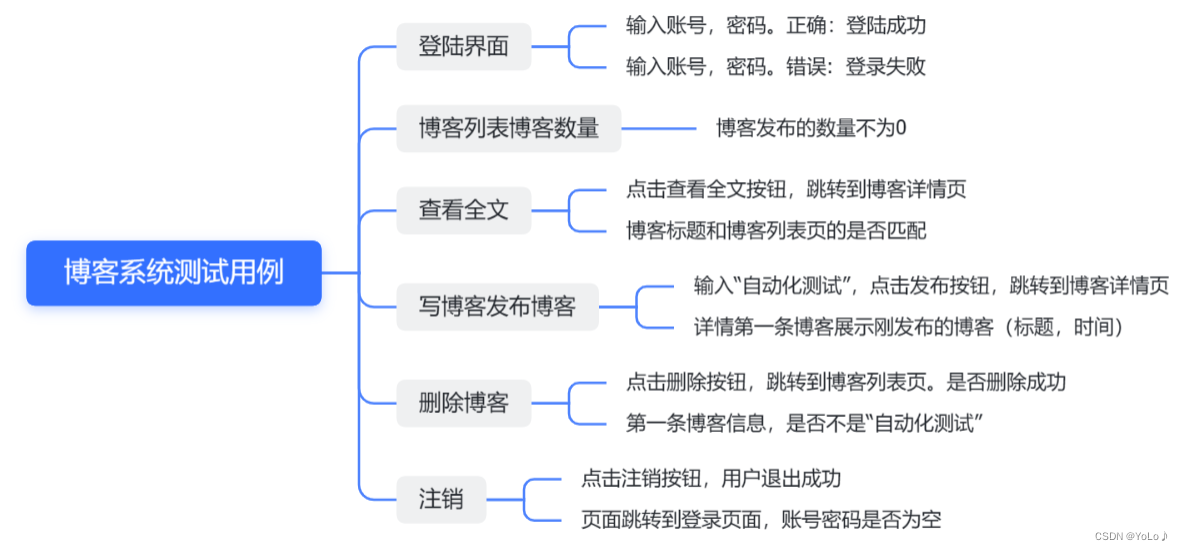
3.手工测试用例转换为自动化测试用例
前置工作
初始化工作:@BeforeAll 创建驱动
退出工作:@AfterAll 退出浏览器
public class InitAndEnd {
    static WebDriver webDriver;
    @BeforeAll
    static void SetUp(){
        webDriver = new ChromeDriver();
    }
    @AfterAll
    static void TearDown(){
        webDriver.quit();
    }
}
测试工作
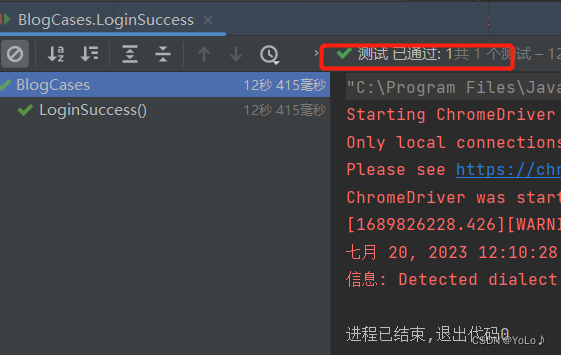
登陆界面
import org.junit.jupiter.api.Assertions;
import org.junit.jupiter.params.ParameterizedTest;
import org.junit.jupiter.params.provider.CsvFileSource;
import org.openqa.selenium.By;

import java.util.concurrent.TimeUnit;

import static java.lang.Thread.sleep;

public class BlogCases extends InitAndEnd{
    /*
    输入正确的账号密码,登陆成功
     */
    @ParameterizedTest
    @CsvFileSource(resources = "LoginCSv.csv")
    void LoginSuccess(String username,String password,String blogList_URL){
        //打开博客登录页面
        webDriver.get("http://localhost:8080/login.html");
//        sleep(3000);
        webDriver.manage().timeouts().implicitlyWait(3, TimeUnit.SECONDS);
        //输入账号zhangsan
        webDriver.findElement(By.cssSelector("#username")).sendKeys(username);
        //输入密码123456
        webDriver.manage().timeouts().implicitlyWait(3, TimeUnit.SECONDS);
        webDriver.findElement(By.cssSelector("#password")).sendKeys(password);
        //点击提交按钮
        webDriver.manage().timeouts().implicitlyWait(3, TimeUnit.SECONDS);
        webDriver.findElement(By.cssSelector("#submit")).click();
        //跳转到列表页,获取URL,如果url为列表页面的,测试通过,否则不通过
        webDriver.manage().timeouts().implicitlyWait(3, TimeUnit.SECONDS);
        String cur_url = webDriver.getCurrentUrl();
        Assertions.assertEquals(blogList_URL,cur_url);
    }
}
错误情况
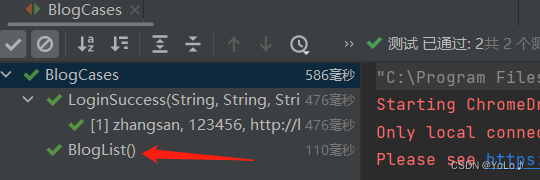
博客列表页数量
  /*
    博客数量
     */
    @Test
    void BlogList() {
        //打开博客列表页
        webDriver.get("http://localhost:8080/myblog_list.html");
        //获取页面所有博客标题对应的元素
        webDriver.manage().timeouts().implicitlyWait(3, TimeUnit.SECONDS);
        int title_num = webDriver.findElements(By.cssSelector(".title")).size();
        //元素数量为0测试不通过
        Assertions.assertNotEquals(0,title_num);
    }
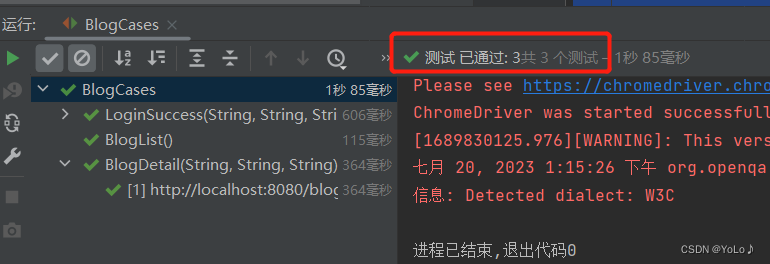
博客详情页检验
url 博客标题 详情页title是否是博客详情页
    /*
       博客详情页检验
       url
       博客标题
       详情页title是否是博客详情页
     */
    @ParameterizedTest
    @MethodSource("Generator")
    void BlogDetail(String expected_url,String expected_title,String expected_blog_title){
        //找到第一篇博客的查看全文按钮
        webDriver.manage().timeouts().implicitlyWait(3, TimeUnit.SECONDS);
        webDriver.findElement(By.xpath("//*[@id=\"articleList\"]/div[1]/a[1]")).click();
        //获取url
        webDriver.manage().timeouts().implicitlyWait(3, TimeUnit.SECONDS);
        String cur_url = webDriver.getCurrentUrl();
        //获取当前页面title
        webDriver.manage().timeouts().implicitlyWait(3, TimeUnit.SECONDS);
        String cur_title = webDriver.getTitle();
        //获取博客标题
        webDriver.manage().timeouts().implicitlyWait(3, TimeUnit.SECONDS);
        String cur_blog_title = webDriver.findElement(By.cssSelector("#title")).getText();
        //断言
        Assertions.assertEquals(expected_url,cur_url);
        Assertions.assertEquals(expected_title,cur_title);
        Assertions.assertEquals(expected_blog_title,cur_blog_title);


    }
    public static Stream<Arguments> Generator() {
        return Stream.of(Arguments.arguments("http://localhost:8080/blog_content.html?id=10",
                "博客详情页","Java数据结构基础------泛型、通配符"));
    }
写博客并发布
    @Order(3)
    @Test
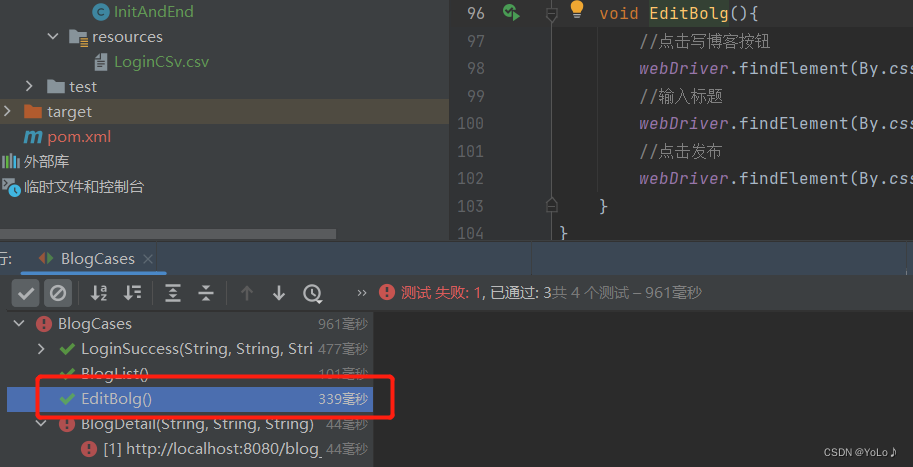
    void EditBolg(){
        //点击写博客按钮
        webDriver.findElement(By.cssSelector("body > div.nav > a:nth-child(5)")).click();
        //输入标题,通过Jscript也能输入
        webDriver.findElement(By.cssSelector("#title")).sendKeys("软件测试");
        //点击发布
        webDriver.findElement(By.cssSelector("body > div.blog-edit-container > div.title > button")).click();
    }
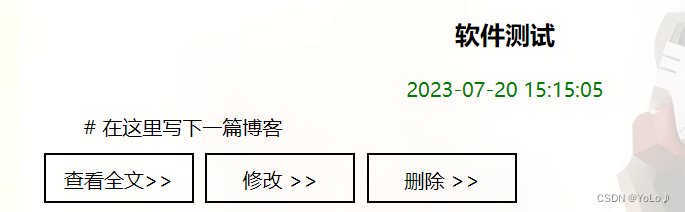
校验标题,时间
    @Order(3)
    @Test
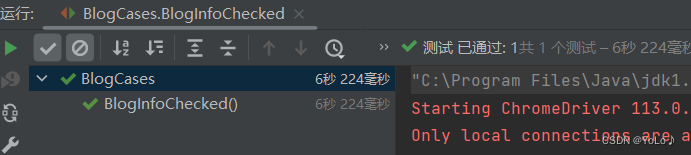
    void BlogInfoChecked() throws InterruptedException {
        webDriver.get("http://localhost:8080/blog_list.html");
        sleep(3000);
        //获取第一篇文章标题
        String cur_blog_title =  webDriver.findElement(By.cssSelector("#articleList > div:nth-child(1) > div.title")).getText();
        //获取博客发布时间
        sleep(3000);
        String cur_blog_time= webDriver.findElement(By.xpath("//*[@id=\"articleList\"]/div[1]/div[2]")).getText();
        //判断
        Assertions.assertEquals("软件测试",cur_blog_title);
        if(cur_blog_time.equals("2023-07-20")){
            System.out.println("测试通过");
        }else {
            System.out.println("测试不通过");
        }
    }
删除博客
并确认是否删除成功,第一篇文章是否已经改变
@Order(3)
    @Test
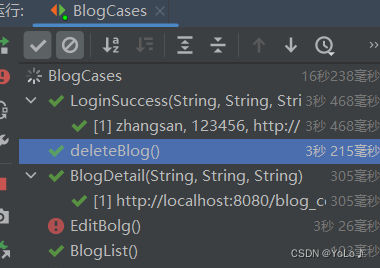
    void deleteBlog() throws InterruptedException {
        webDriver.get("http://localhost:8080/myblog_list.html");
        //点击第一篇文章删除按钮
        webDriver.findElement(By.xpath("//*[@id=\"articleList\"]/div[1]/a[3]")).click();
        //确认删除
        webDriver.switchTo().alert().accept();
//        webDriver.findElement(By.xpath("//*[@id=\"articleList\"]/div[1]/div[1]")).click();
        //删除成功确认
        sleep(3000);//确认
        webDriver.switchTo().alert().accept();
        //获取第一篇文章是否是Java数据结构基础------泛型、通配符
        String cur_blog_title = webDriver.findElement(By.cssSelector("#articleList > div:nth-child(1) > div.title")).getText();
        //断言
        Assertions.assertEquals("Java数据结构基础------泛型、通配符",cur_blog_title);
    }
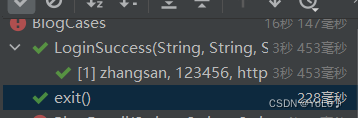
注销博客
并判断是否跳转到登陆页面,输入框是否清空
   /*
    注销博客
     */
    @Test
    @Order(3)
    void exit(){
        //注销操作
        webDriver.get("http://localhost:8080/myblog_list.html");
        webDriver.findElement(By.cssSelector("body > div.nav > a:nth-child(6)")).click();
        webDriver.switchTo().alert().accept();
        //是否跳转到登陆页面
        //获取url
        webDriver.manage().timeouts().implicitlyWait(3, TimeUnit.SECONDS);
        String cur_url = webDriver.getCurrentUrl();
        //判断
        Assertions.assertEquals("http://localhost:8080/login.html",cur_url);
        //判断输入框是否为空
        String input_name = webDriver.findElement(By.cssSelector("#username")).getText();
        String input_pwd = webDriver.findElement(By.cssSelector("#password")).getText();
        Assertions.assertEquals("",input_name);
        Assertions.assertEquals("",input_pwd);
    }
原文链接: https://blog.csdn.net/chenchenchencl/article/details/131822880